
End of Sale Notice for Avaya 9600 Series Phones
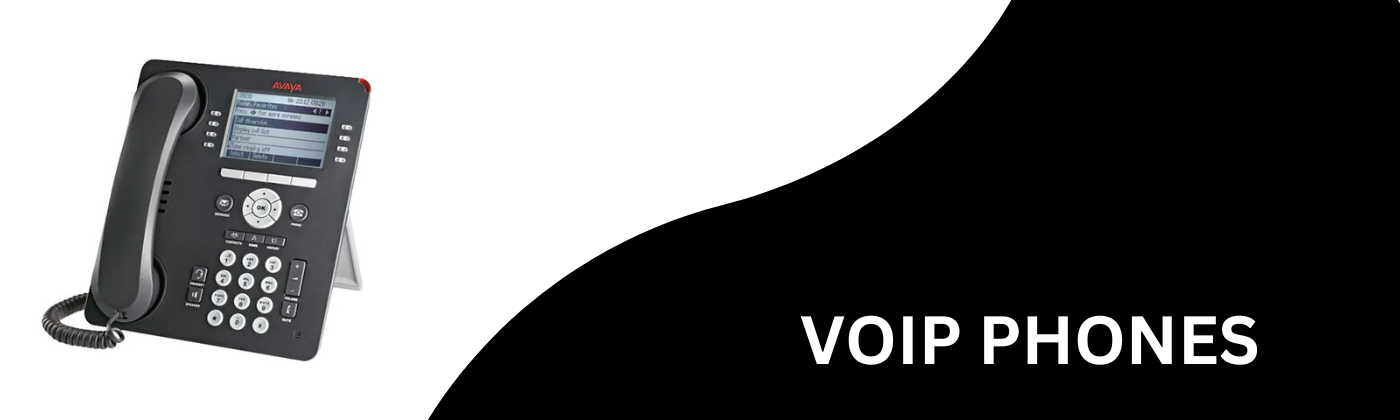
On April 3, 2013 Avaya officially announced their end of sale notice for many of the 9600 Series IP Phones.
The effective date will be October 7, 2013 and the effected models will be the Avaya 9630G, 9640, 9640G, 9670G, 9620L TAA, 9640 TAA, 9650 TAA and related accessories. These phones have recently become known as the “Old 9600 Series Phones.” The exception to this is the Avaya 9620L and the Avaya 9650 and the Avaya 9650C. These models will still be available for purchase. The Avaya TAA or Avaya GSA Phones are typically only used by Government Agencies.
The replacement models for these discontinued phones will be the Avaya 9608, 9611G, 9621G and 9641G, also known as the “New 9600 Series Phones”. The newer phones offer many benefits that the discontinued phones did not. Some of these new offerings include a better price point, extended lifecycle, newer features and capabilities, such as touch screen, instant messaging, and presence settings, as well as a better quality design.
If you have previously used an Avaya 9630G phone, the replacement model would be the 9608, if gigabit is not needed, or the 9611G if a gigabit model is required. If you currently use an Avaya 9640 or 9640G, the replacement model would be the 9611G or the 9621G if you are looking for a touch screen option. If you are currently using an Avaya 9670G, the 9641G would be the direct replacement, as both phones provide touch screen, Bluetooth integration, and have a similar screen layout. If you are currently using the 9620L TAA, you may replace your phone with the 9608 TAA, which has additional line buttons and a lower price point. For users who need to replace a 9650 TAA, you may upgrade your phone to the 9611G TAA or the 9641G TAA phone, depending on whether a touch screen option is needed or not.
Lastly, all models with a changeable faceplate design will no longer be available for purchase. In the meantime, you may want to stock up on your favorite model while supplies last.
Panasonic has upgraded their firmware for the KX-TGP 500 series of cordless phones.
This new firmware update now allows the cordless phones to Transfer Calls on the Avaya IP Office. So this is now a reliable inexpensive cordless phone for the Avaya IP Office Phone System.
If you remember, this was not possible before and became an issue when trying to sell the Panasonic KX-TGP 500 as a multi-handset cordless solution for IP Office.
So if you need an excellent SIP based cordless, here it is.
If you have sold these before, your customer can upgrade the firmware, for free, and begin to transfer calls.
Here is the link: http://panasonic.net/pcc/support/sipphone/download/TGP/us.html - 02
And an area screen shot of the page:

We are often asked by technicians, what the requirements are for a PC that needs to run IP Office Manager Software. Here is a list of the requirements:
Processor:
- Minimum: Pentinum 4 2.4 GHz or equivalent

- Optimal: 2 GB RAM
- Hard Disk Space: 50 MB
Operating System:
- Windows XP Service Pack 3
- Windows Vista (32 bit and 64 bit) Vista support is only on Business, Enterprise and Ultimate Versions
- Windows 7 (32 bit and 64 bit) Windows 7 Professional, Enterprise and Ultimate versions are supported
- Windows 7 Home Version is not supported
Connection: IP Network connection/Ethernet/RJ-45
IP Office Manager Software can be obtained by purchasing the latest version of the Avaya IP Office User/Admin Set.
Clarification / Updates coming / Demonstrating Functionality of Avaya IP Office
Avaya Send feedback »
Clarification of Avaya IP Office Features
- R
elease 8.0: All User Productivity Licenses Require Preferred Edition with the exception of Receptionist SoftConsole - Release 8.0 Essential Edition: Mobility is included called “Mobile Light”. This is simply simultaneous ring to cell phone and desk phone. If they have an iPhone, Symbian Single Mode (Nokia), or Windows Mobile device, they can download an app, but it will not be as feature rich as Mobile Preferred
- Release 8.0 Preferred Edition Includes Mobility Server, 10 Licenses are included with Preferred Edition and if they need more than that they need to purchase Mobile Worker Licenses
- Voicemail to Email is built into Essential Edition; however, if they want to have it sync between their phone and computer, the system must be Preferred Edition and a UMS license must be sold with it
- Call Recording: On Preferred Edition, it is only record to voicemail. You cannot record to an external device. If you have voicemail to email set up, then you could physically move the recording to another device. Do not forget that on Advanced Edition, when they want to record all calls, each recording requires a voicemail port. So if you plan on recording all calls, it could get very expensive to add those additional voicemail po rts. You may want to look at a 3rd party software instead.
Avaya announces IP Office Release 8.0 updates and IP Office Release 8.1 Sneak Peak!
Aastra Send feedback »Avaya announces IP Office Release 8.0 updates and IP Office Release 8.1 Sneak Peak!
Avaya has announced as of April several big changes to the IP Office Telephone System. Several big changes to the Avaya IP Office Release 8.0 platform cover changes in the voicemail, mobile twinning, and support on 96x1 devices. 
Originally there was a plan to release a device called the UC110 module. This product will now be called the Avaya UCM. The Avaya UCM is a Linux based module that resides in a single slot of the main cabinet of an IP Office 500 V2. This module replaces the need for a separate server for Preferred Edition Voicemail. It can support up to 59 users and up to 20 ports of voicemail. You may use this voicemail as a Centralized Voicemail option for multiple sites. Some of the benefits of using this module, rather than an external server, is that the unit is not tied to Microsoft or Linux updates and licensing, and it also takes under 30 minutes to install. It also includes an Avaya Preferred Edition License when you purchase the unit.
They have also announced a larger option for voicemail called the Avaya IP Office Applications Server. This is a Linux based sourced server and it supports up to 250 users, and 40 voicemail ports. It ships with a Linux OS and Applications Software Images. It is scalable to the full capacity of 1 Avaya IP Office Phone System (384 users).
Avaya has also announced full support on the 96x1 IP Phones.. On release 7, the last service pack fully supported the 9608, 9621G and 9641G IP Phones. Finally with Release 8 Q1 Service Pack, the 9611g will be fully supported.
And the last major update to IP Office Release 8.0 is a very exciting one. Mobility server will now support use on an iPhone Mobile Phone. So you now may load the one-X application on a iPhone for full featured mobility. This is currently in Beta testing and will be available for use in May. Unfortunately for Blackberry users, there is a big question mark as to whether or not Mobile Worker will be fully integrated. 
Avaya IP Office Release 8.1 is at the moment planned for a June Release Date. One of the big announcements for Release 8.1 IP Office is a larger capacity. They have announced the upcoming Avaya IP Office Midside Server Edition, which is a Linux based platform and can support up to 500 users per server and up to 1000 users per site with 2 servers. This server can be supplied by the customer as long as it is on Avaya’s approved server list.
Avaya has recently announced a new version of the Avaya IP Office Phone System, Release 8.0. The new version will be available after December 12, 2011. There are many new features and some new hardware as well. They have simplified things a bit so that going forward there will only be one SD Card- Basic Mode- Partner Version, otherwise known as A-Law SD Cards. If you would like an Essential Edition SD Card, you simply purchase a Basic Mode SD Card and an Essential Edition License.
Some of the other highlights include:- Supported on IP500 V1 or
V2 Cabinets

- One SD Card for all Versions- Basic Mode, Partner Version
- Upgrade with license to Essential, Preferred or Advanced Edition
- Avaya IP Office Web Manager: System Management via Web Browser
- Supports the following web-browsers:
- Firefox
- Internet Explorer
- Safari
- Chrome
- Supports the following web-browsers:
- New Hardware: (Preferred Edition Only)
- UC110 Unified Communications Module
- Requires a slot in Main Cabinet
- Supports Preferred Edition without Server
- Supports User Productivity Packages
- Supports Mobility Server
- Basic Edition, Partner Mode- V2 Cabinet only
- Upgrade to Essential Edition with Keycode
- Mobile Worker (Mobile Twinning) not supported, requires upgrade to Essential Edition
- No new feature enhancements with the exception of the voicemail
- Voicemail Enhancements:
- Intuity Audix Commands
- Call Screening
- Allow System Administration while Users are on a call
- Essential Edition
- Requires a keycode to upgrade from Basic Mode
- Comes with Mobile Twinning Feature for all users (requires SIP Trunks or PRI)
- Comes with the ability to have 2 remote workers - requires VCMs, does not require VPN or IP Endpoint License (9600 series Phone)
- Anything more than 2 remote workers requires an IP endpoint license- and maybe used for 1600 or any other IP Phone that requires VPN router
- Coaching Intrusion, Silent Intrusion and Whisper
- Preferred Edition
- Requires Dedicated PC, Server or UC110 Module
- Requires purchase of Essential Edition License
- Required Keycode to use Office Worker, Teleworker or Power User Productivity Licenses. If a customer with User Productivity License upgrades to Release 8.0 and does not have Preferred Edition, they must purchase this license in order to keep the User Productivity Licenses. Otherwise they will no longer work.
- Required for Multi-Site Networking at minimum of 1 site even if Centralized Voicemail is not required
- Multi Time Zone Support
- MAPI Exchange Integration on Linux
- Call Screening
- Advanced Edition
- Agent Monitoring and reporting via Customer Call Reporter Updates for
8.0
- Avaya one-X Portal for IP Office: Agent Control Gadget, World Clock Gadget
- System Talk Time Report Enhancements
- APF- Agent Productivity Factor (Agent Time Card Report)
- 15 & 30 minute reports for Call Summary Report and Call Detail Report
- Custom Reports
- Agent Monitoring and reporting via Customer Call Reporter Updates for
8.0
What are the benefits of using SIP Trunks on an Avaya IP Office Phone System?
Aastra Send feedback »There are many benefits of using SIP Trunks on an Avaya IP Office Telephone System. There are both monetary benefits and technical benefits for each. Let’s take a look at both.
Many Monetary Benefits include:- Lower per line cost
- Lower rates for Long Distance
- Lower rates for Inbound Toll Free Service
- Inexpensive Fax to Email
- Free In-Network calls to local and international locations
- No taxes or FCC Charges
- More control over call progress (SIP Messaging)
- Services can be split to Inbound and Outbound
- Free Caller ID with Name and Number
- Quick and easy disaster control
- Easy relocation of service
- Higher audio quality
- No audio loss when bridging lines for conferences
- Outgoing Caller ID control
- Easy DID integration
- On-Line access and control of services and features
- Time of Day Call Preferences / Control
Technical and Monetary Benefits will vary from each Service Provider.
So how do you connect your SIP Trunks to your Avaya IP Office Phone System?
There are several ways to connect your SIP Trunks. You will need 2 parts in your IPO System- VCM Channels and SIP Trunk Keycodes. VCM Channels are Avaya’s proprietary codec and are include on the Avaya IPO ATM Combo Card or a VCM 32 or VCM 64 Card. SIP Trunk Licenses can be purchased in quantities of 1, 5, 10 and 20. The Avaya IPO Partner Version comes with 3 SIP Trunk Licenses to start, while the Avaya IPO Essential Edition does not come with any to start and must be licensed.
If you use Mobile Twinning to a cell phone with the IP Office Essential Edition here is what to expect.
- If the cell phone is ON and the twinned call is not answered, the caller will go to the Voice Mail Box with the shortest time out.
- Timeout Example: Cell phone is ON
The cell phone sends unanswered calls to its Voice Mail Box after 15 seconds of ringing.
The IP Office sends unanswered calls to its Voice Mail Box after 10 seconds of ringing. In this case, the caller will go to the IP Office Voice Mail Box since it has the shortest timeout. - Timeout Example: Cell phone is ON
The cell phone sends unanswered calls to its Voice Mail Box after 10 seconds of ringing.
The IP Office sends unanswered calls to its Voice Mail Box after 15 seconds of ringing. In this case, the caller will go to the cell phone Voice Mail Box since it has the shortest timeout. - If the cell phone is OFF and the Mobile Answer Guard timer option in the IP Office is set correctly, then all unanswered calls will go to the IP Office Voice Mail Box. It makes no difference how the Timeouts are set when the cell phone is turned off.
Avaya has really put forth a great plan to continuously upgrade the IP Office Telephone System, but customers often are unsure of how to upgrade their system and what the cost will be or if it is free.The current release of Avaya IPO is release 7.0; however, Avaya is still only releasing 6.0 SD Cards. So how would a customer who is purchasing a new system get the release 7.0 software? And if a customer has an existing system, how do they upgrade to release 7.0 to get the benefits of the new system?
Well the answer to this is very simple. Any customer who purchases a new IP Office Cabinet can upgrade to release 7.0 free of charge for 90 days.
This free upgrade is tracked by the phone system cabinet, not by the SD card. We have had customers who purchased a brand new SD card and tried to upgrade, but they get an error code that says “Must install Run Time License”. If you receive this error code, it means that your IPO Control Unit is older than 90 days and you must now purchase a license in order to upgrade. A Run Time License is the same thing as an IPO License Upgrade and you must know whether you have over 32 extensions, or under 32 extensions or if you plan to upgrade to more than 32 extensions. There are two different License Upgrades either small (under 32 extensions) or large (32 extensions or more).
If you are within the 90 day free upgrade period, then your installer or distributor can either upgrade your system for you, or provide you with a link to upgrade the system.
One question that comes up quite often is how to add an External Loud Speaker Paging Unit or System to the Avaya IPO Phone System. If you have a customer who is simply upgrading their phone system, they may have a perfectly working Over-head Paging System and they would like to reuse it. Many phone systems have a Paging Port on the KSU or they simply connect through an open CO trunk port.
When an installer first starts working with the Avaya IP Office Phone System, often times they are surprised to find that there is no paging port on the system.
So how do you connect a Paging System to your IP Office Phone System? What we recommend is using a Bogen WMT1A transformer and a spare Analog Station Port. 
This analog station port can be on an ATM combo card, a Phone2 card, a Phone8 card, a Phone16 Module, or a Phone30 module. Then you can go ahead and connect your paging unit of choice. This transformer will work on both the Avaya IP Office Essential Edition or the Avaya IP Office Partner Version.